There is a lot of confusion between Z-Wave Plus and older non-Plus devices.
 A product that is Z-Wave Plus means it has passed a rigorous certification process and thus is likely to be more reliable and have fewer issues than non-Plus devices. All Z-Wave devices are 100% interoperable and backwards compatible so a Z-Wave Plus device can communicate with any non-Plus device without issue. If you have a choice between a Z-Wave Plus device and a non-Plus device, I recommend you choose the Z-Wave Plus device because the Plus device will work better.
Z-Wave History Lesson
The timeline shows the technology trajectory that Z-Wave has traveled since its inception in 2002. The timeline shows the constant improvement and evolution of Z-Wave. Initially the data rate was only 9600 bits per second. This was fast enough to turn a light or two on or off but as things progressed and you want to slowly change the color of a dozen or more bulbs, then you need a faster data rate. Thus, the increase to 40K with the 300 series and 100K with the 500 series. There are many other enhancements along the way including longer range, better RF sensitivity, lower power, more peripherals and in particular the AES encryption engine. The amazing thing though all of these improvements is that they have all remained 100% backward compatible. Even the latest chips can talk to the early 100 series chips. Granted it is only at the slower 9600 bps but it still works! So the lamp dimmer you bought in 2004 is still able to talk to the latest SmartThings hub.
The Curse of the Even Series
Z-Wave has had some mistakes along the way, after all no one is perfect. Much like the Star Trek Movies, all of the even series chips were flawed and quickly obsoleted. The developers became so fearful of the curse of the even series they skipped the 600 series and jumped straight to 700. The 200 series chips were simply buggy. Period. They had some significant power issues making them difficult to use as a battery powered device among other problems. The flaws were quickly fixed and the series replaced with the largely firmware compatible 300 series which had a long and plentiful life. Many 300 series devices are still in the market though the chips have reached end-of-life so there are limited inventories left. A small number of 300 series chip based devices are Z-Wave Plus – but that number is quite small and there are probably none left on the shelves though you could have one installed in your home. Fortunately, as we’ve seen they are all completely interoperable so no problem there.
The 400 series suffered from a marketing mistake early on – the memory that holds the firmware is One-Time-Programmable (OTP). This means the firmware cannot be updated – EVER. You burn it once, and pray it is good. This is a nightmare for developers as they have to replace the chip every time they make a new firmware build, which they typically do hundreds of times per day. While the OTP saves a fraction of cent in the cost of the chip, the drawbacks far outweigh that tiny cost. Fortunately we developers didn’t have long to wait and the 400 series was replaced with the 500 series. The 500 series had plenty of FLASH and added the ability to update the firmware in the device even after it is installed in the field using a technique called Over-The-Air (OTA) firmware update.
Z-Wave Security – AES Encryption
One of the most important IoT devices is a door lock. Naturally, a door lock needs to be secure. Up until 2008, Z-Wave was “in the clear” meaning it wasn’t secure at all. The Security Command Class was added to encrypt all communication with banking quality AES-128 encryption which makes Z-Wave secure – or so the Z-Wave developers thought.
In 2013 it was widely published that the Z-Wave security has a weakness when a device is first joined to a network. During that process, the encryption “key” is sent to the device over the radio and it is encrypted, but the encryption key is 128 bits of 0. Since the encryption key is all zero, it is possible for someone with very sophisticated equipment to “sniff” the radio data and thus obtain the key to every secure device in the network. While this is a security hole, it requires a lot of equipment on-site at the short time when the user is adding a secure device to the network. Much easier for a burglar to throw a brick thru a window to gain access vs. hacking a Z-Wave door lock. But Z-Wave had to counter with an improvement and they did just that in 2015 – with the updated Security S2 command class.
Security S2 adds full diffe-hellman symmetric encryption to the key exchange. A number of performance improvements were also made which enables battery powered devices to be secure without spending extra time exchanging secrets back and forth. All devices certified after April 2017 are required to support Security S2.
The question of Z-Wave Plus vs. Non-Plus however is independent of Security. Since new devices have to implement Security and they are Z-Wave Plus certified, it seems like the two go together but in reality they are independent. But all new devices will have both which is good. Fortunately support for Security S2 isn’t required to be supported by Hub vendors like SmartThings, Vera, HomeSeer, etc. They will need to add support but all your older non-secure devices will remain 100% backward compatible.
The Future
Z-Wave continues to evolve and improve but continues to remain 100% backward compatible all the way back to 2002 and the initial release of the 100 series transceivers. The Z-Wave Certification program continues to be strengthened with new features and new tests that make every Z-Wave certified product better and completely interoperable with every other Z-Wave device on the market. Interoperability is the advantage Z-Wave has over the many other competing wireless protocols for IoT.
Newer devices have been tested more rigorously and use the latest chip sets for better RF range and mesh network routing algorithms. So given the choice it’s generally better to buy newer devices using the latest technology.
Conclusion
Choose a Z-Wave Plus device over a non-Plus device even if you have to pay a little more. A Z-Wave Plus device uses the 500 series chips with the latest RF technology and firmware and has been tested under the Z-Wave Alliance Certification program which is quite difficult to pass. Rest assured that the Z-Wave device you purchase today will continue to be interoperable with future versions of Z-Wave technology for the foreseeable future.
 IoT Device Testing Best Practices by Eric Ryherd
 There were nearly 200 attendees at the Summit – a significant increase over last year. One of the main purposes of the summit is to learn what’s new in Z-Wave and what Silicon Labs is planning for the future. The most important news at this year’s summit is the 700 series which was
  The Summit isn’t all work all day even though the days are long and filled with lots of technical information. This summit had an evening at the
 the router and then login to it from anywhere in the world. The system is secure and password protected. The HS3 application serves web pages with a status of every Z-Wave device. The HS3 application runs on the Raspberry Pi so all processing is local which means temporary Internet connectivity outages are no problem.
 Features
 Sigma Designs


 Silicon Labs is a well respected semiconductor manufacturer with an array of microcontroller products from 8-bit 8051s thru modern low-power ARM CPUs. Silicon Labs has been chasing the IoT market since before IoT was a “thing”. Their low power micros have industry leading features often integrating the latest connectivity solutions like USB, Zigbee and now Z-Wave. With a market cap of nearly $4B, Silicon Labs (
 In my opinion, the most interesting part of the announcement is that SiLabs is buying Z-Wave and not Sigmas primary business of Set-Top-Box processors. The announcement states: “Sigma Designs is in active discussions with prospective buyers to divest its Media Connectivity business”. The announcement goes on to say that if Sigma can’t unload its “Media Connectivity business” then SiLabs will buy just the Z-Wave portfolio for $240M thus making the rest of Sigma worth only $42M assuming someone is willing to pay that much for it.
 Z-Wave was originally invented by Zensys based in Copenhagen Denmark in 1999. Originally the Z-Wave protocol used Chipcon radios (acquired by TI) and Atmel processors (acquired by Microchip). In 2003 Zensys announced its own custom designed “100 series” Z-Wave transceiver which was a complete Z-Wave capable IoT System-On-Chip. In 2008 Zensys was struggling financially. Fortunately Sigma stepped in an purchased Zensys for an “undisclosed amount”. Nine years later, Sigma has sold Z-Wave for a very nice ROI of perhaps 100X. Mergers and acquisitions in the semiconductor industry are frequent as technology and markets shift in unforeseen ways.
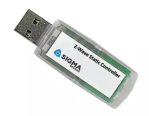 You have to make one out of a
 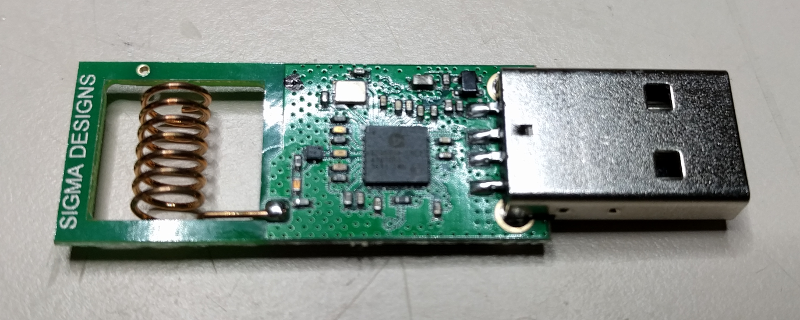 The first step is to pry open the UZB enclosure. Use a small flat head screwdriver to pry it open along the USB connector. There are pins that hold the two halves together. Be careful not to break off the pins as we’ll use the enclosure with the Zuper Zniffer.
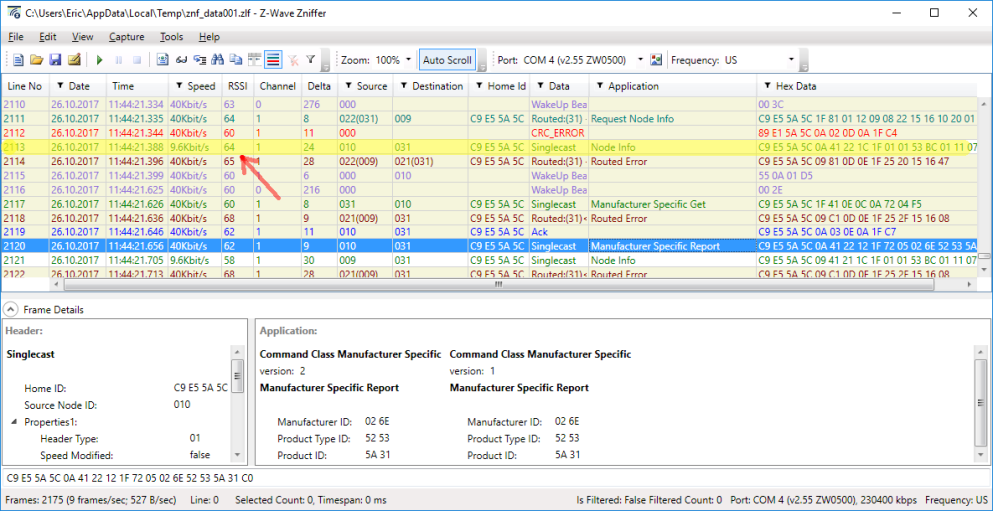
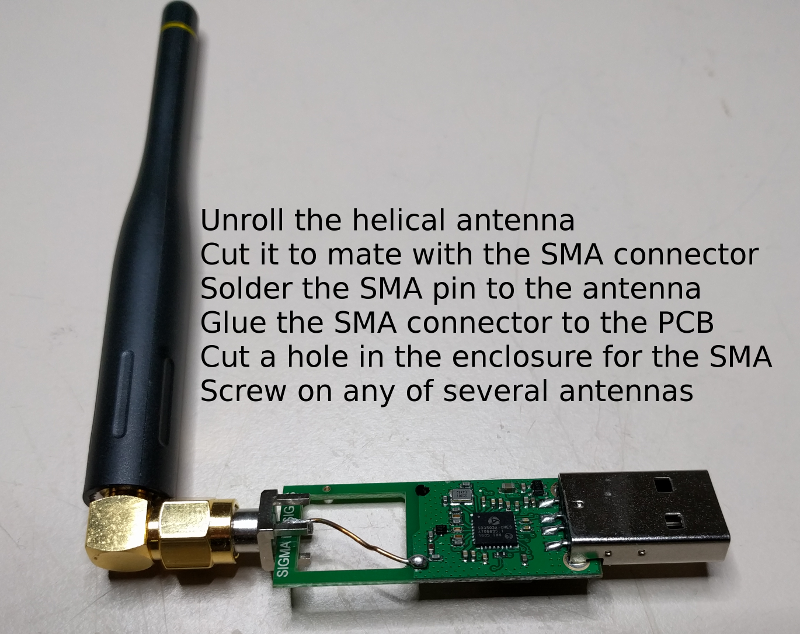 Next unroll the helical antenna and cut it off so it just reaches the end of the PCB. Place the SMA connector on the end of the PCB and solder the antenna wire to the center pin of the SMA as shown above. You can solder the ground pin of the SMA to the PCB ground but it doesn’t seem to make much of a difference. Cut the enclosure to make room for the SMA connector to stick out the end and then snap it back on. Then screw on any SMA antenna and try it out. I typically get 3 to 5 more dB as reported in the Zniffer software RSSI column. This should be nearly 10X more range. There are so many antennas to choose from once you have an SMA connector so experiment and find one that works for you. You can even use a Yagi antenna which would then make the Zniffer highly directional.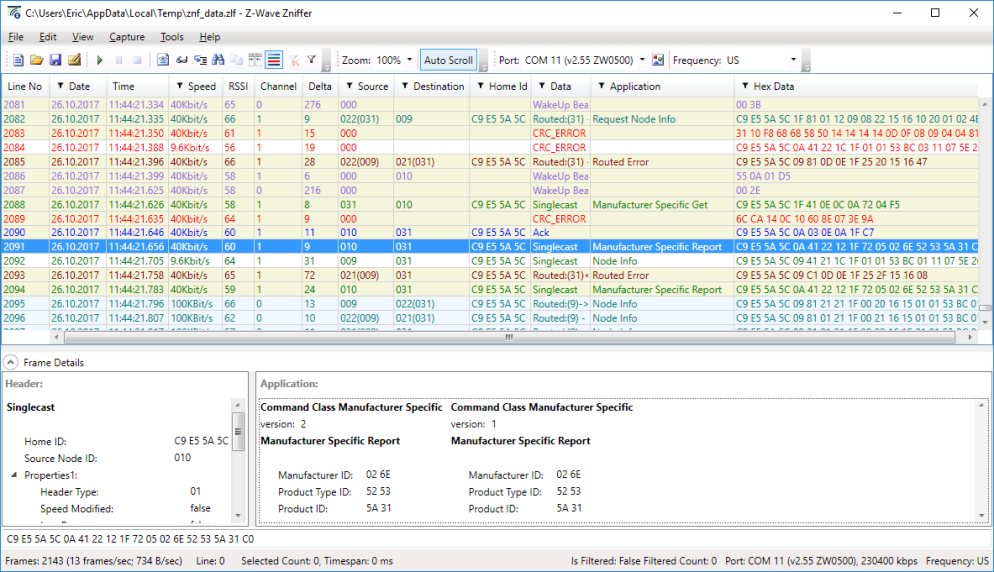
 Click
Click 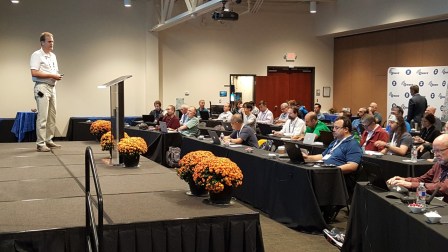 The presentation goes into detail on each of these topics so I won’t duplicate the information here. I also go thru several failures of devices I’ve been working with. You learn more from failures than you do when everything just works. Feel free to comment and let me know what topic you’d like to see for next years summit.
 The Summit isn’t all work all day though the days are long and tiring. Tuesday evening was a reception at
